Introduction
This Fractal Geometry Lab Report focuses on an introduction to turtle graphics. We first learned some simple python code, then we initialized a turtle and then customized it by both setting a background and the turtle's color. After this, we fiddled with the turtle's starting position. Finally, we used our colored turtle to connect lines with the goal of displaying a polygon; our first polygon is a simple square.
Results & Analysis
Below is the Colab section showcasing some simple Python programs.
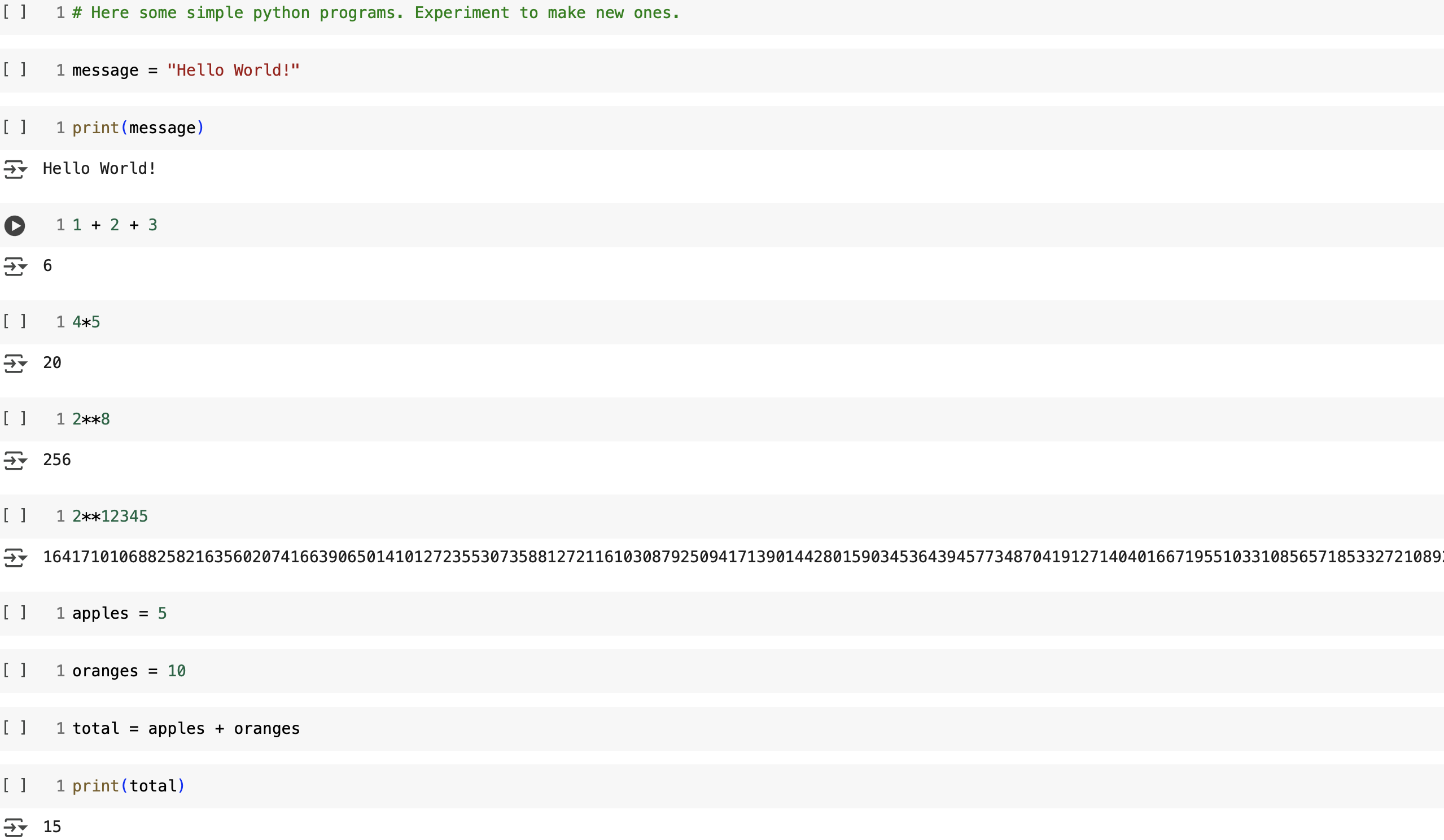
Figure 1 shows that we can do simple mathematical operations in Python. What is shown is multiplication, subtraction, and addition. We can perform multiplication with an asterisk; exponents are implemented with a double asterisk. Python is capable of handling small or very large numbers. We can create variables and assign values to them, like assigning Hello World to the variable, message. We can then print our variable, message, using the print command. This then generates the assigned value, Hello World, when initiating the code. Note that we can also assign numerical values to variables, as in the case of assigning the value of 10 to the variable oranges. Instead of performing addition directly, we demonstrate how to perform mathematical operations using variables. We assign 5 to the variable apples, then assign the variable total to the addition of apples and oranges. Using the print command on variable total then prints the value of apples and oranges, which is 15.
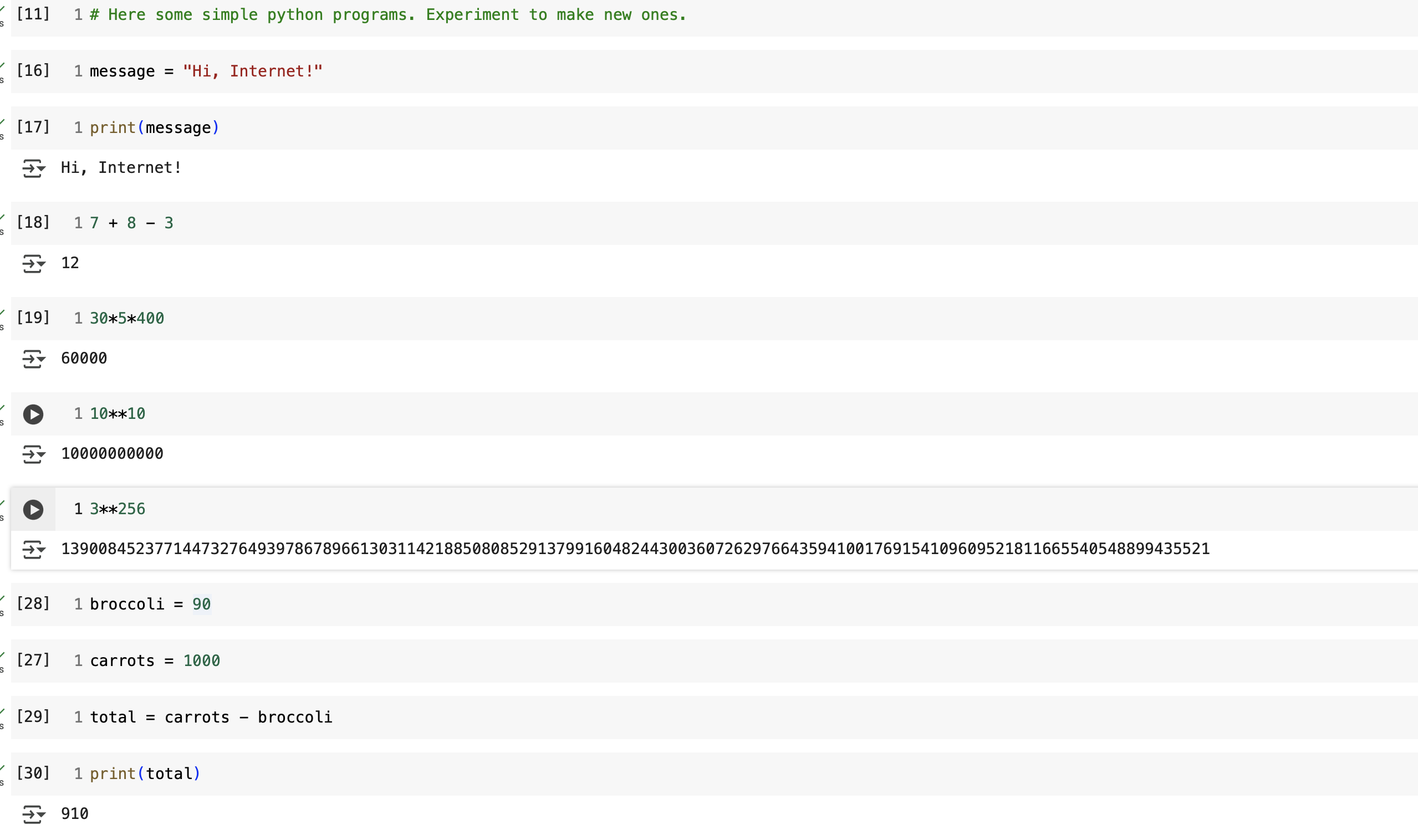
Figure 2 shows our modified code, where we made slight adjustments to showcase Python's potential. We altered the assigned value of the variable message to Hi, Internet. We showcased how more than one mathematical operation can be used concurrently by performing multiple multiplication operations as well as by coupling addition with subtraction. We changed multiplication and exponential values. We demonstrate how to change variables by altering the fruit variables, apples and oranges, to vegetables, broccoli and carrots. Then assign different values to broccoli and carrots. Finally, we showcase that variables can perform subtraction instead of addition by assigning variable total to the subtraction of broccoli from carrots.

Figure 3 shows the code that imports the turtle library for our use.
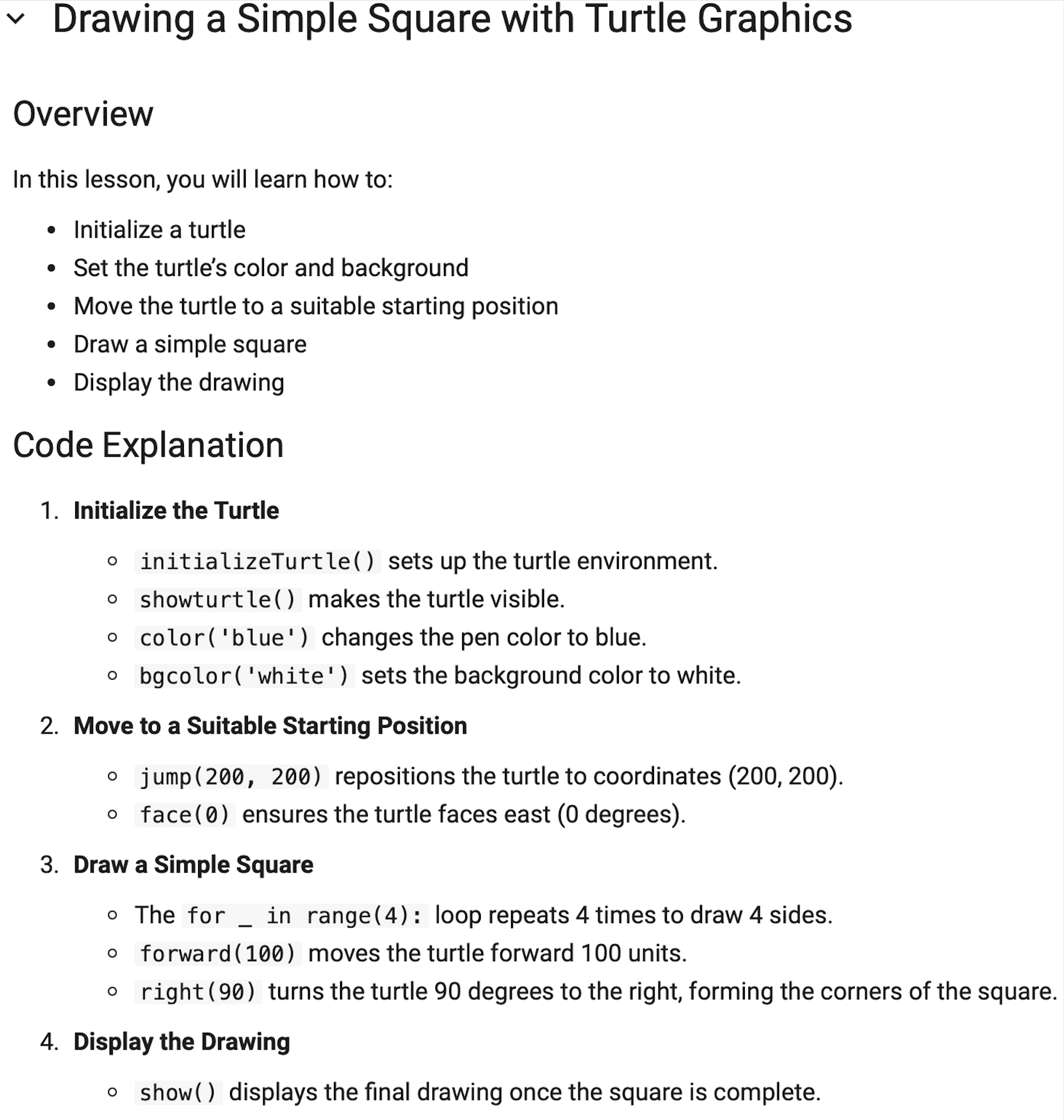
Figure 4 describes some commands associated to the Turtle Library.
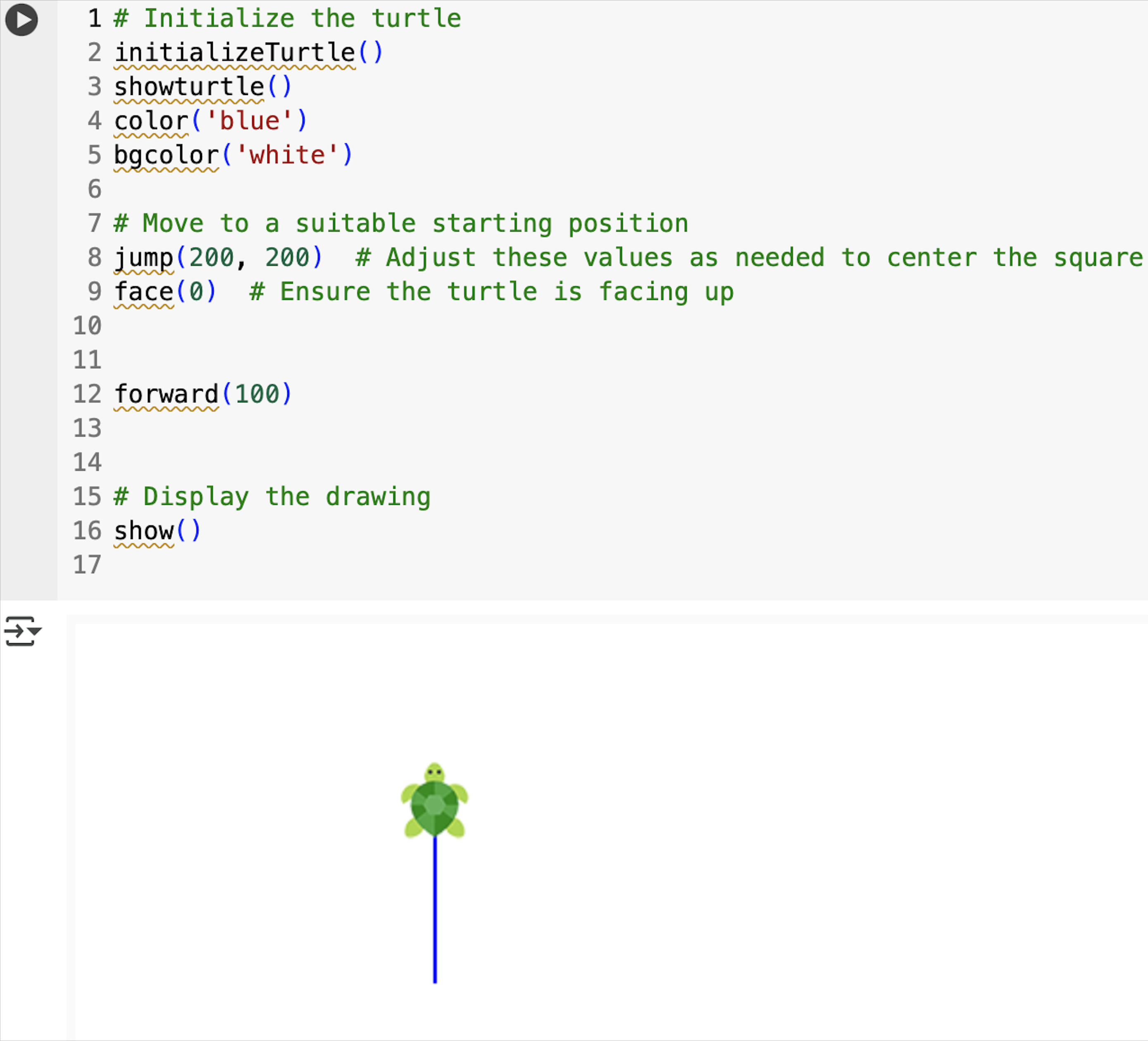
Figure 5 shows the code that starts the turtle.
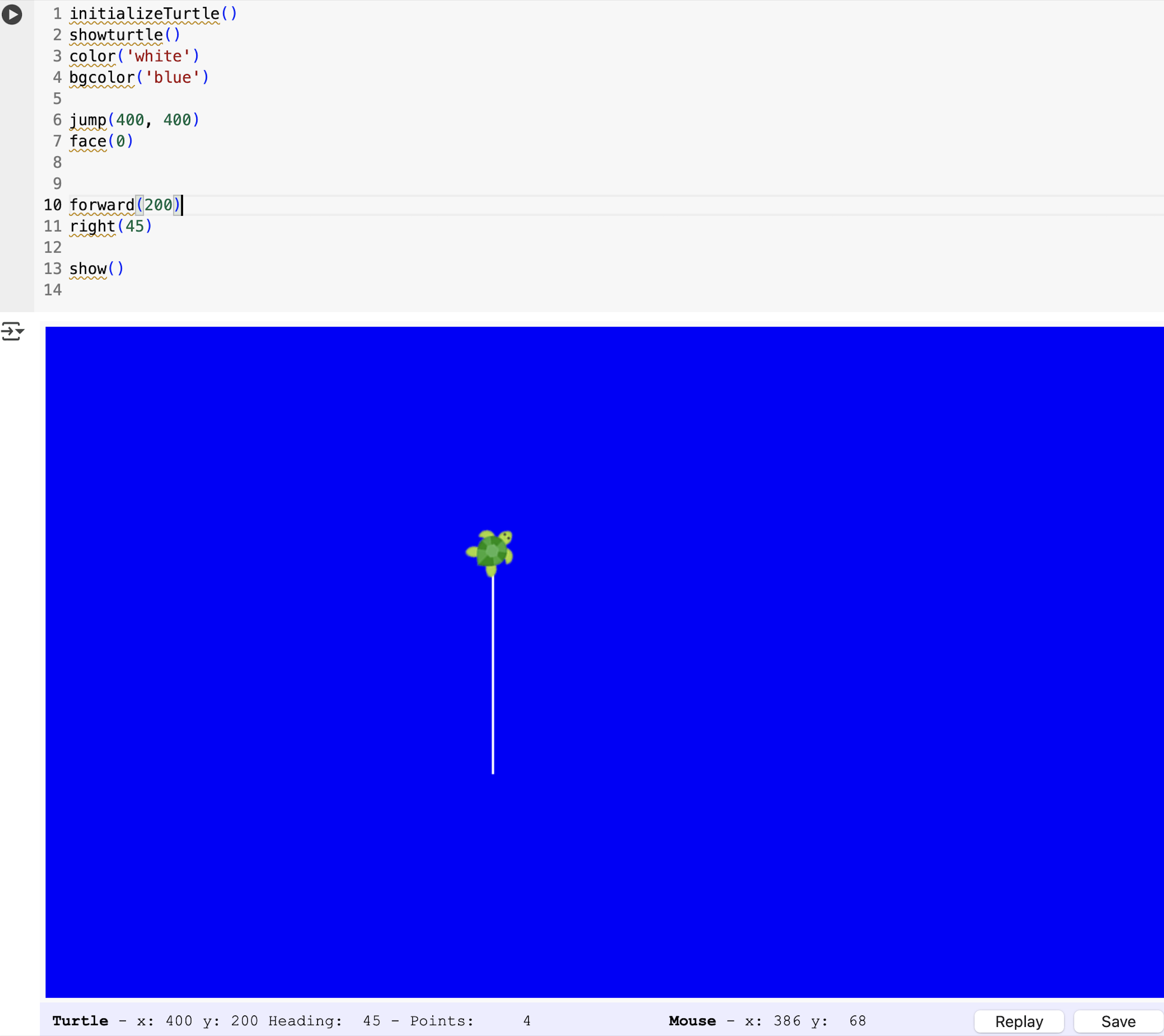
Figure 6 shows modification of original code. We have used command color() to change color from blue to white, which is the line creation color. We have changed background color with command bgcolor(), and have selected it to be blue. We repositioned the turtle's coordinates using jump(), and changed coordinates from 200 to 400, i.e., changed jump(200,200) to jump(400,400). We increased the number of units the turtle moves with the forward function by 200 units instead of the original 100 units. The face(0) function determines the turtle faces east by 0 degrees; this was not altered in this section to better showcase function right(45), which swivels the turtle at the end to 45 degrees to the right.
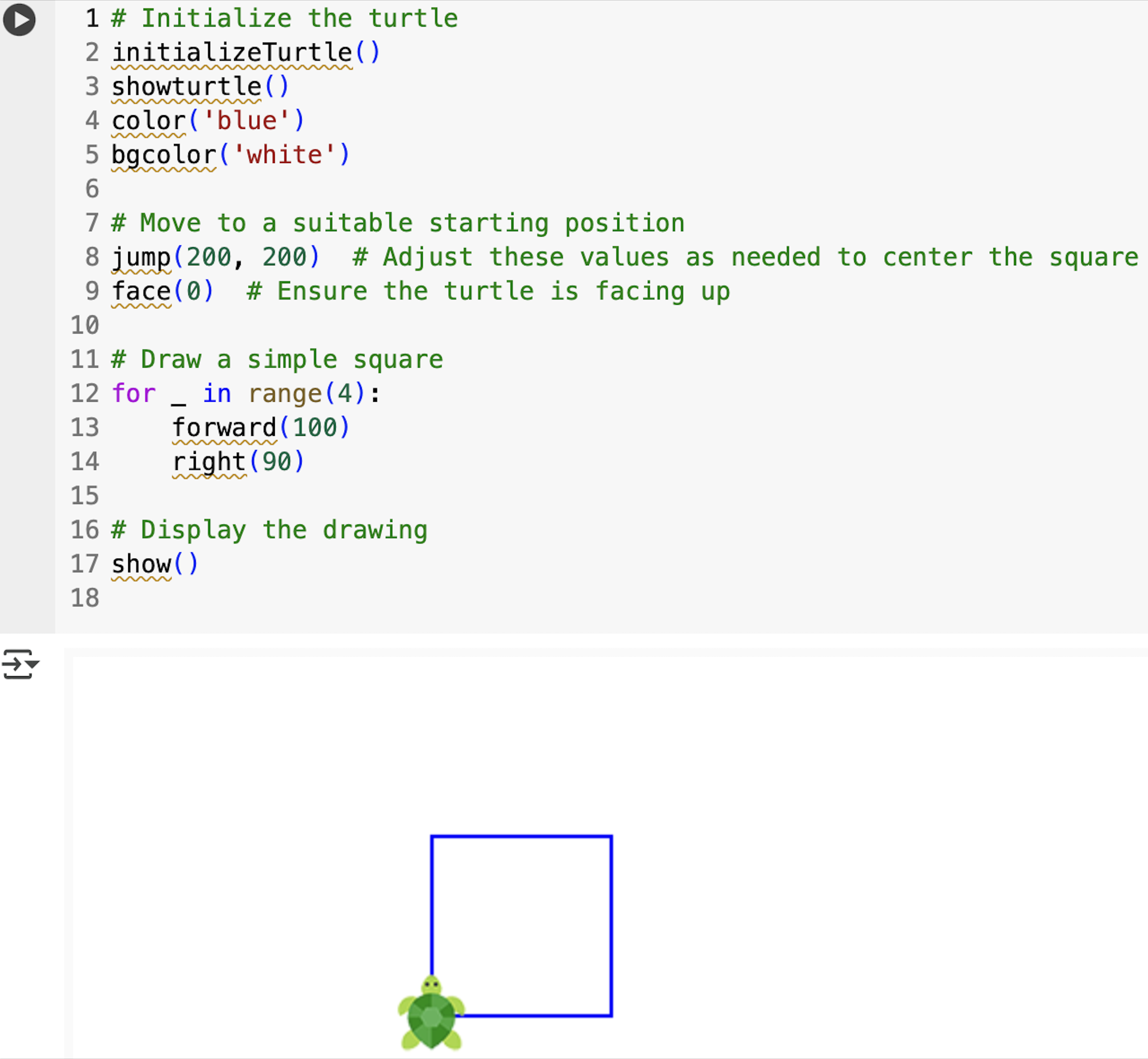
Figure 7 shows original code provided with an image of the associated results, including a visible turtle.
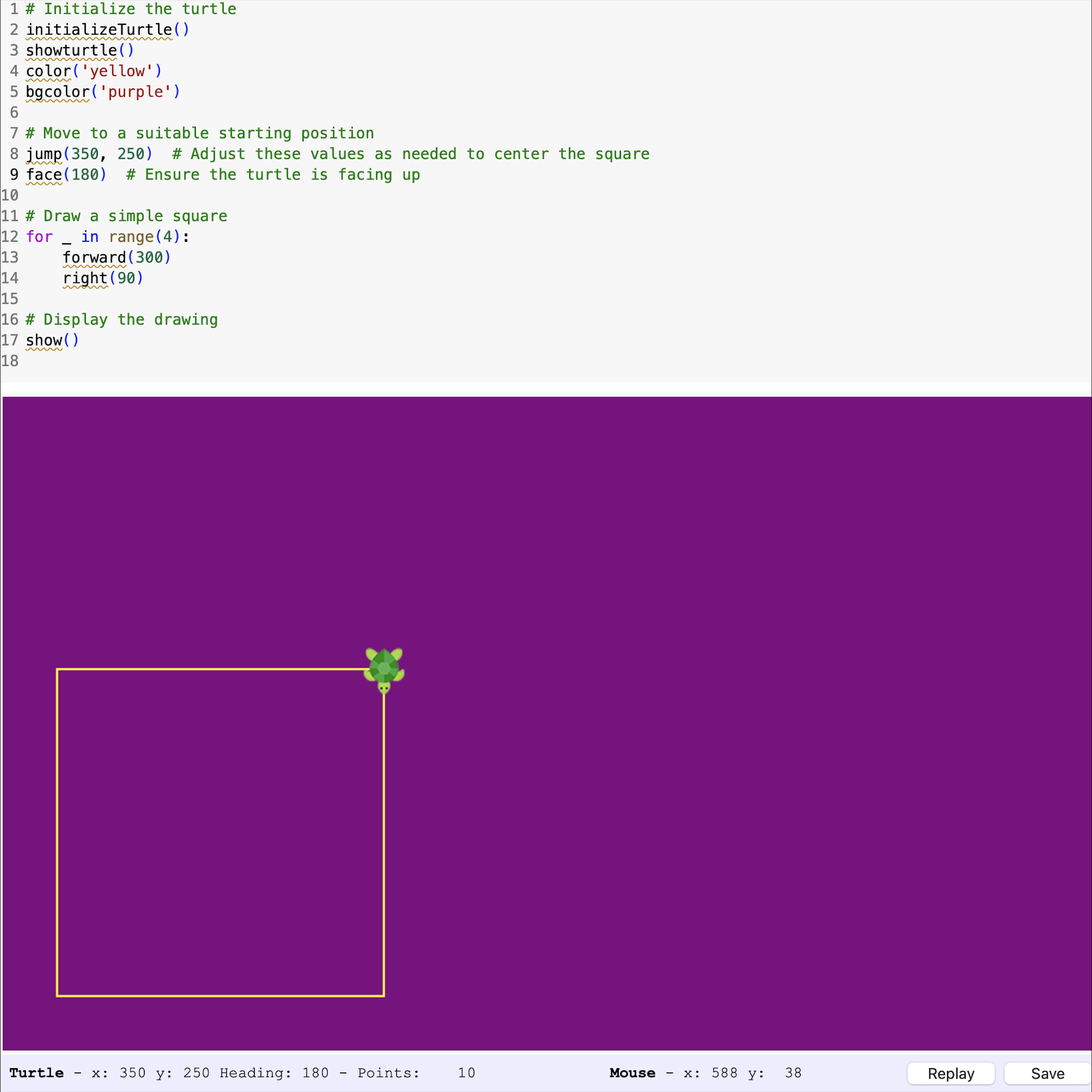
Figure 8 shows altered code and provides an image of the associated results, including a visible turtle. Here, we: changed line color to yellow; background color to purple; adjusted coordinates from 200,200 to 350,250 using function jump(); created a larger square by tripling the units moved in forward(100) to forward(300); and, finally, rotated the turtle to start at a different angle by changing face(0) to face(180).
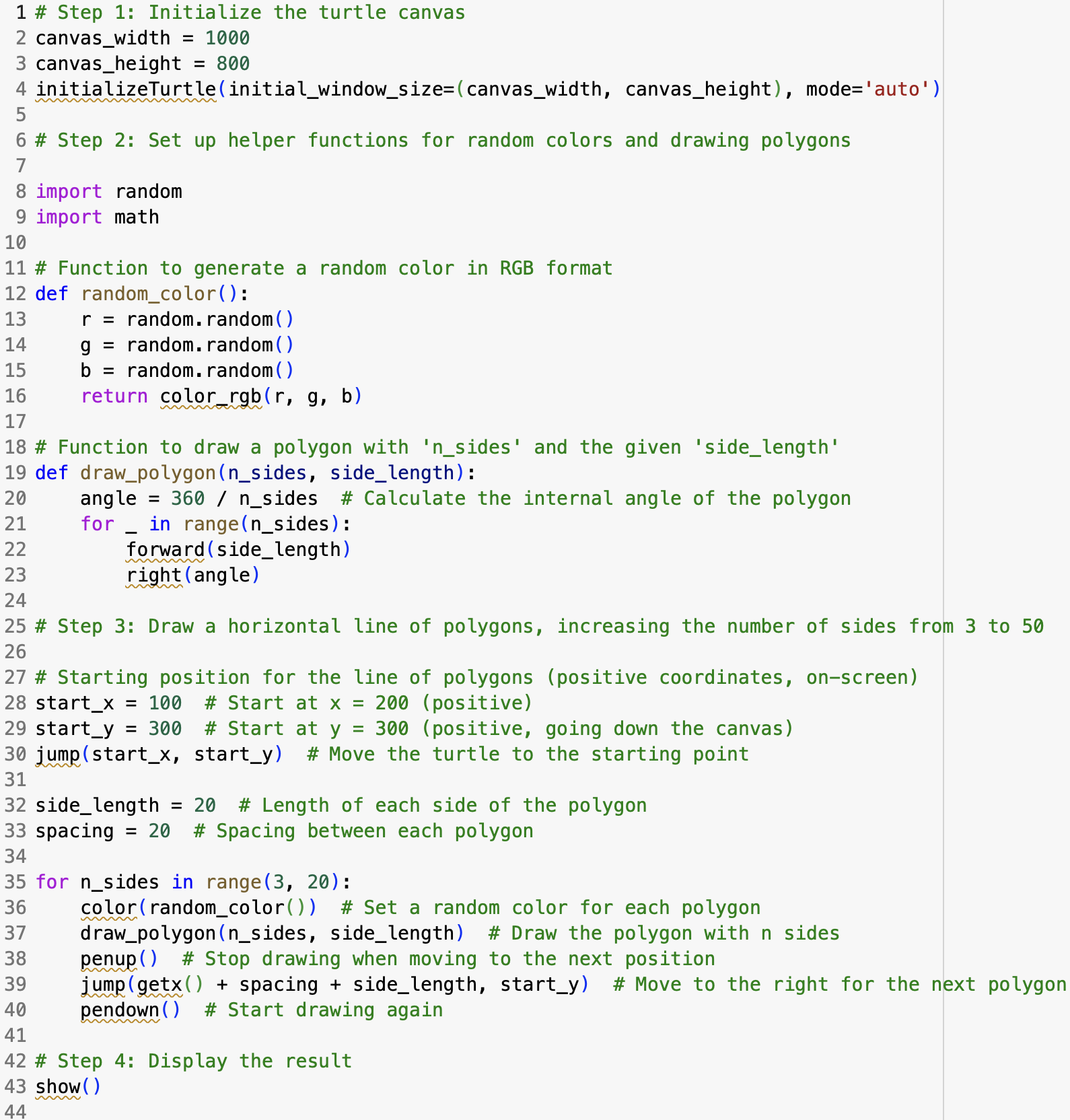
Figure 9 shows the code of Part 2 with detailed explanations of the code functions generously provided.
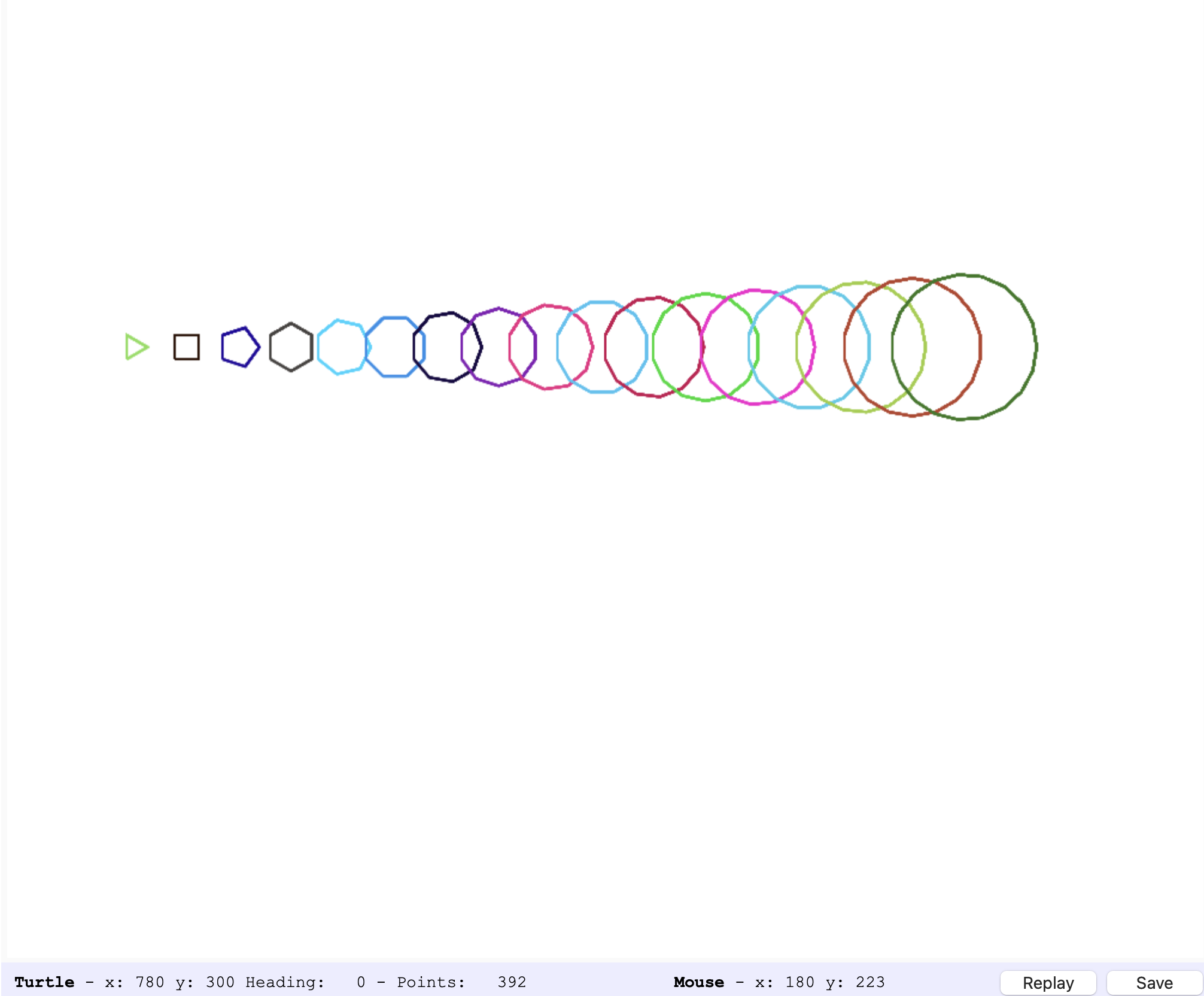
Figure 10 shows the associated image generated by the code of Part 2.
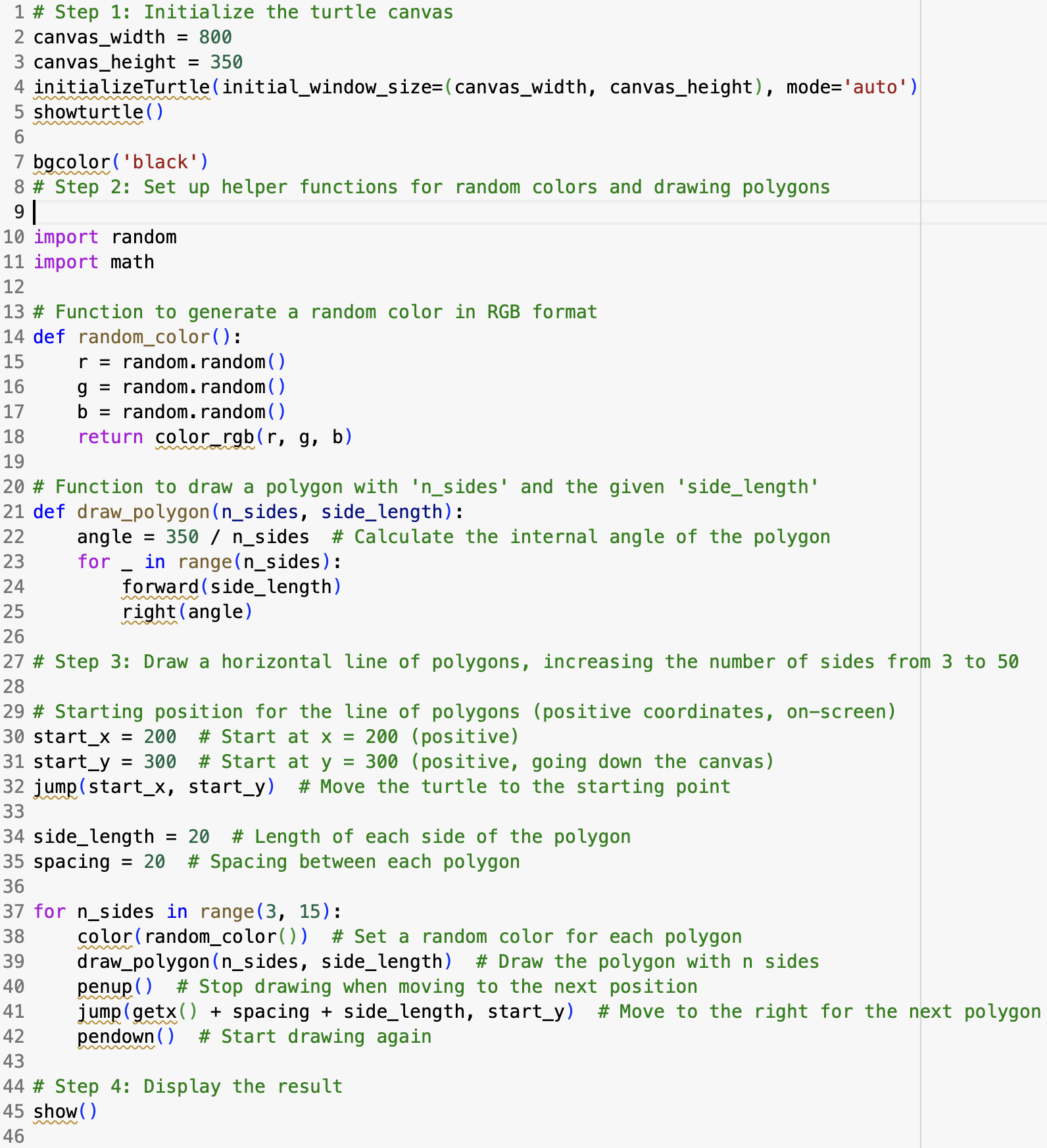
Figure 11 shows alterations to the code in Part 2. First, we modify the turtle canvas by decreasing canvas width and height in lines 2,3. We make the turtle visible with command showturtle() in line 5. We alter background color from white to black in line 7; note that black lines will not show, but changing it to black just demonstrates the option to instigate code alterations. In line 22 of the code, we change calculations of the internal angle of polygons formed from 360 degrees to 350 degrees; this subtle decrease creates a small cutoff point in the polygons, making them slightly incomplete, with large enough openings visible to the human eye, thus creating a chainlike effect. We change the starting point of the turtle in lines 30-32. Finally, we modify the for loop in line 37 by changing the range from range(3,20) to range(3,15). Doing this reduces the total number of created polygons from 17 to 12. Our modifications are visually demonstrated in Figure 12 below.
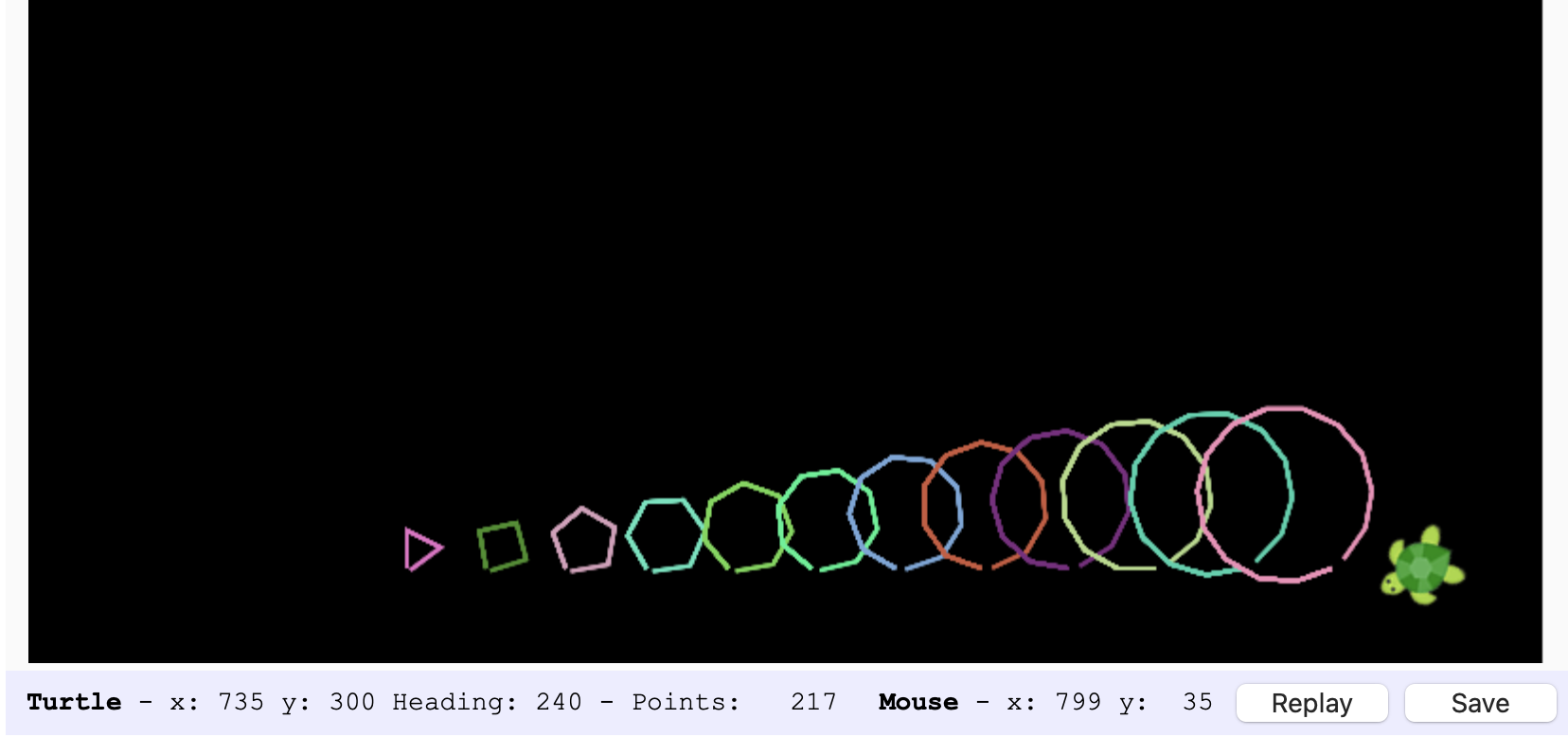
Figure 12 shows the associated image generated by the altered code of Part 2 as explained in the previous paragraph.
Conclusion
We successfully showcased an introduction to basic Python coding and turtle graphics. Additionally, we have shown modifications to basic Python coding and turtle graphics in order to demonstrate understanding of the various code functions involved. This report attempts to convey an introduction to the overall power of Python programming, such as in numerical calculations and image development. This report also demonstrates learning HTML for GitHub for website production. This concludes my Fractal Geometry Lab Report on the Introduction to Turtle Graphics.